AI Girl Generators covers AI image and character tools, some of which allow adult content. Please confirm you are 18 or older to continue.
Every character on this site is fictional and an adult. We never show or generate images of real people.Photorealism is the most popular style for AI girls and the least forgiving. Viewers spot a wrong hand or plastic skin instantly. The good news is that most problems come from a handful of causes — and each has a fix.

A photograph has qualities people recognise without thinking: imperfect skin, light that comes from somewhere, a lens that blurs the background, small asymmetries. AI images look fake when they lose those — skin like plastic, light from nowhere, a face too perfectly symmetrical.
So the realistic style is less about describing a beautiful face and more about describing a photograph: the light, the lens and the texture.
| Want | Words to try |
|---|---|
| Warm, natural look | golden hour light, window light, soft daylight |
| Studio portrait | softbox key light, rim light, seamless backdrop |
| Moody, cinematic | low-key lighting, neon reflections, film grain |
| Portrait lens look | 85mm, f/1.8, shallow depth of field, bokeh |
| Candid feel | 35mm, street photography, natural pose |
| Real skin | natural skin texture, visible pores, light freckles |
Two or three of these per prompt is plenty. Stacking every photography term usually makes results worse, not better.
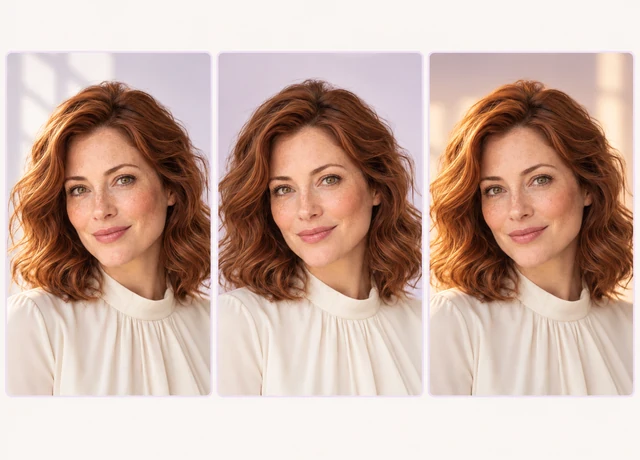
Inpainting — regenerating just one area of an image — is the most useful realistic-style tool. Fix the hand, keep everything else.
Generators usually output around 1 megapixel. For larger use, an upscaler enlarges the image and adds believable detail. Upscale once, at the end, after every other fix — upscaling a flawed image just gives you a larger flaw.
A light final pass helps too: a touch of grain, a subtle colour grade. It hides the too-clean look that gives AI away.
The more real an image looks, the more its use matters:
Prefer an illustrated look? The anime AI girl generator guide covers that side. For structure, see AI girl prompts.
Describe the photograph, not just the face: a light source, a lens such as 85mm with shallow depth of field, and natural skin texture. Remove words like “flawless” that produce plastic skin.
Hands have many small parts in endless positions, which models still struggle to learn. Simple poses, a negative prompt and inpainting the hand fix most cases.
Regenerating one selected area of an image — a hand, the eyes — while leaving the rest untouched.
Yes, if you need them larger — but only at the end, after fixing everything else.
No. Reputable generators prohibit real likenesses, and realistic sexual images of real people are illegal in a growing number of countries.
Some platforms and laws require it, and it is good practice everywhere. Never present a generated image as a real photo of a real person.
Or return to the AI girl generator overview for styles, consistency and the rules.
A seven-part structure, examples for each style and negative prompts.
Read the guide →Anime sub-styles, prompt words and keeping characters clearly adult.
Read the guide →Design a look, personality and voice that stay consistent.
Read the guide →Describe the light, the lens and the face — and generate your first realistic portrait. Free to start.
Generate a realistic portrait